Automations
The repetitive work does itself.
You write a rule as one sentence: when this happens, do that. TaskForce applies it in the name of the person who wrote it, and records everything it does.
All the pictures are real screenshots of TaskForce, taken in French.
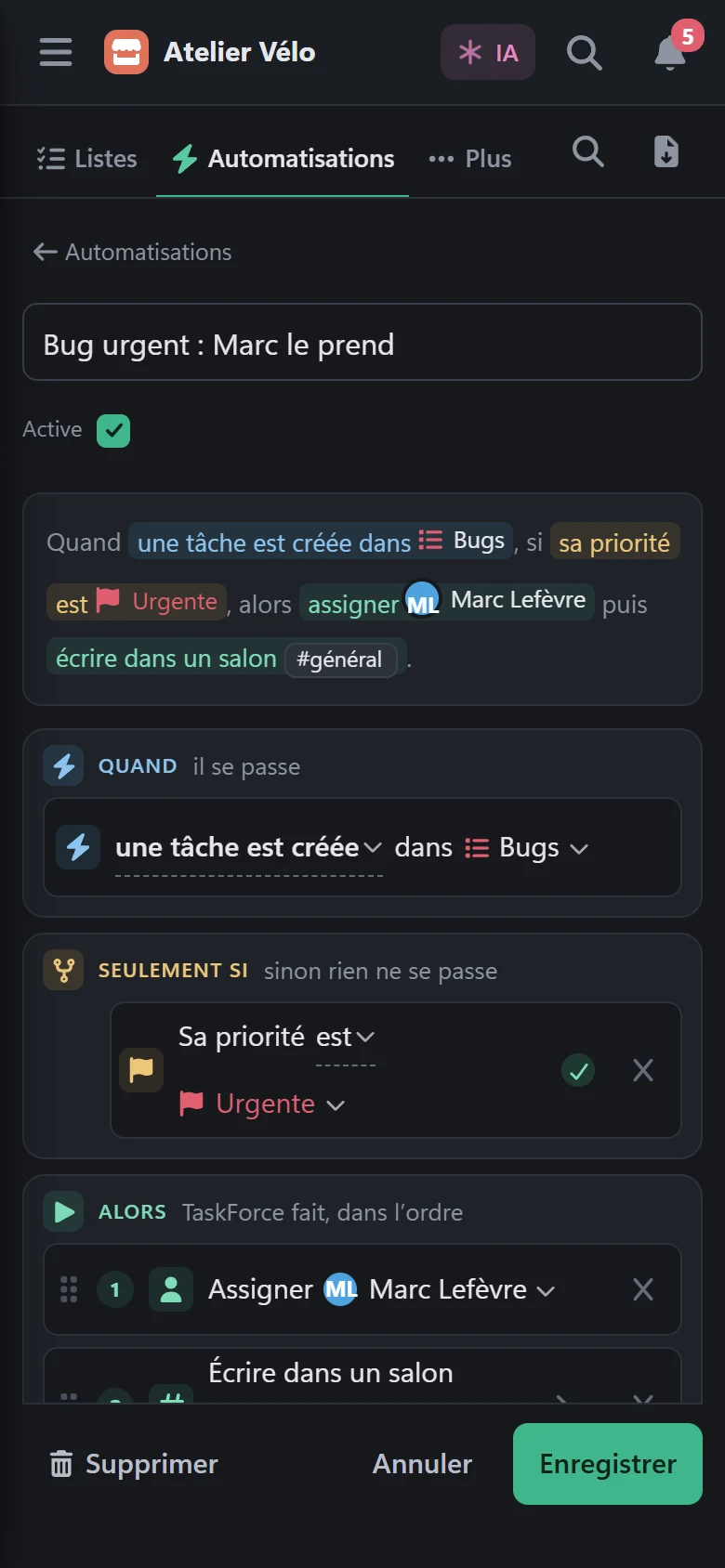
A rule reads like a sentence.
In the space’s Automations tab, every rule shows in plain words: when, if, then. You start from a template or from a blank page.
No diagram to draw, no code.
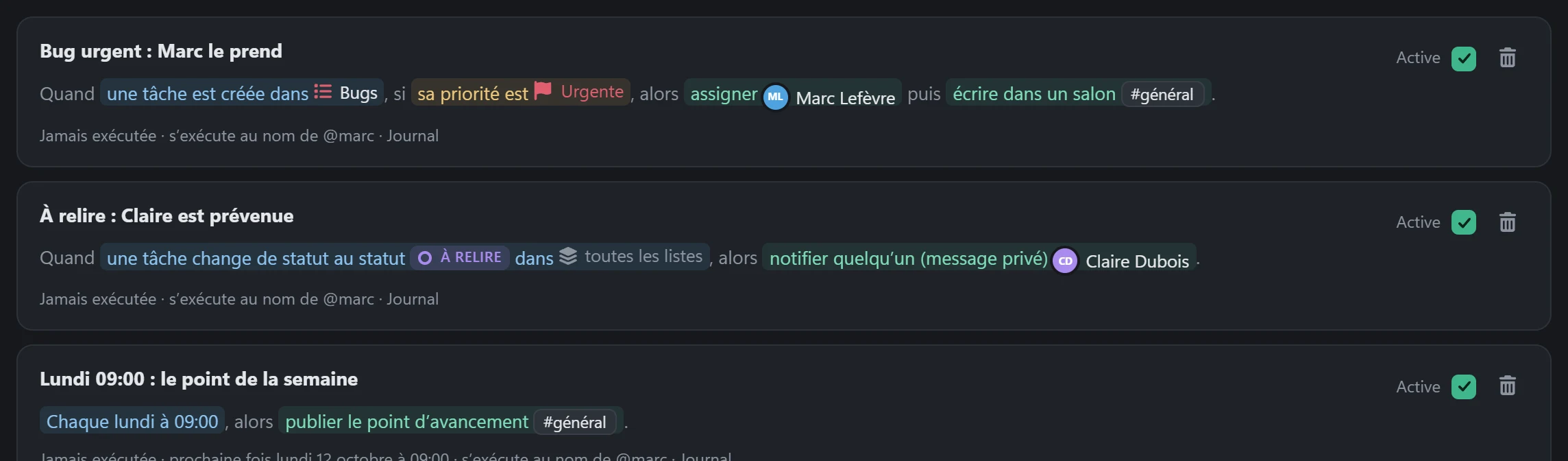
- When a tag is added to a task, if the tag is bug, then set the priority to High, then assign @marc.
- When a task moves to “review”, then send a private message to @claire.
- When a task is one day past its due date, then post in #general “Late: {task.name}”.
- Every Monday at 09:00, then publish the progress report in #general.
- When a webhook arrives from your CI, if the level is error, then create a task “Alert: {body.title}” in Bugs.
- When a task is completed, then announce it on Slack or Teams.
An editor that speaks your language.
The bricks are on the left, the rule in the middle, the dry run on the right. The sentence at the top rewrites itself with every change.
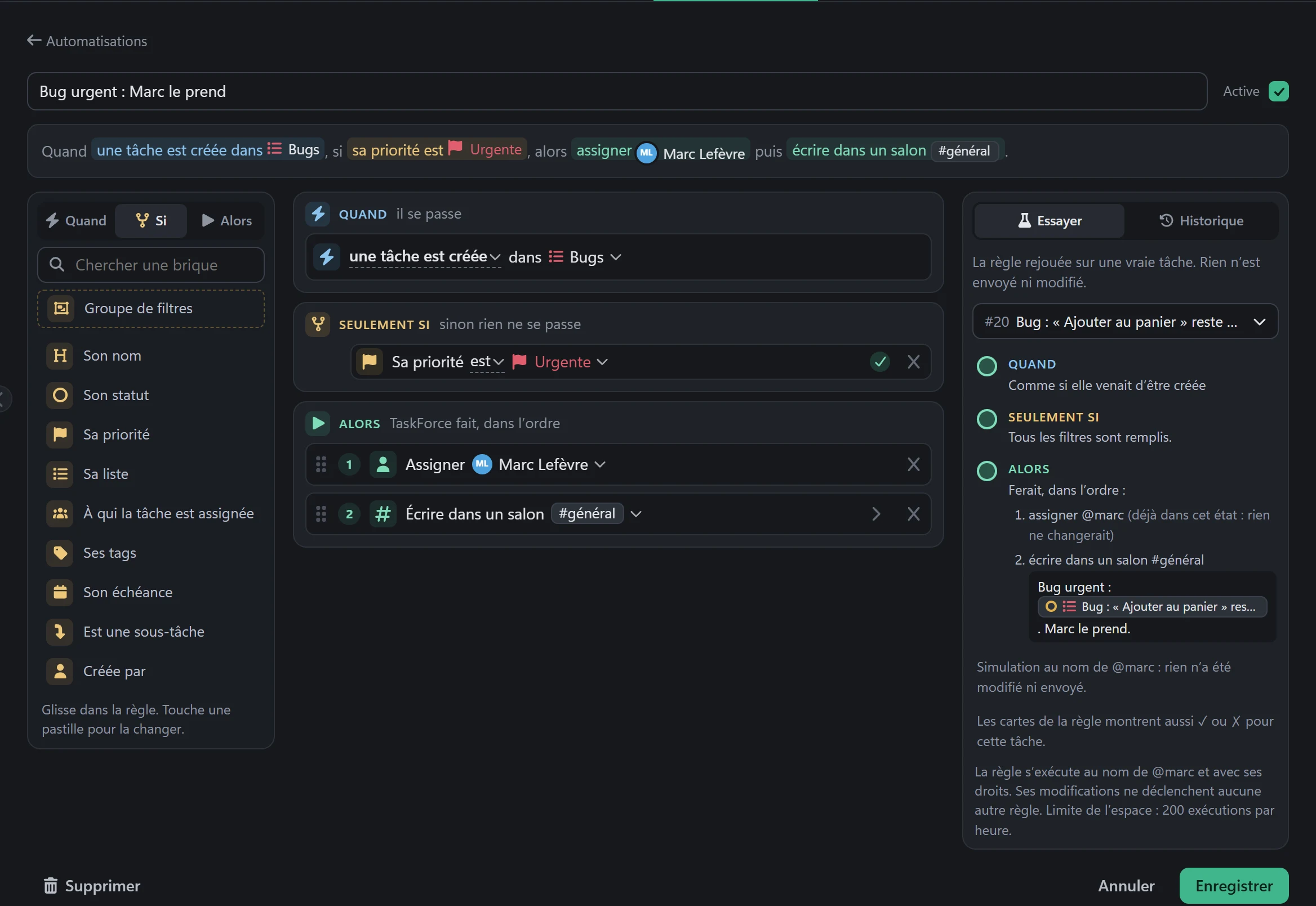
A try before it acts.
The Try panel replays the rule on a real task of the space. It says what the rule would do, action by action, and marks every filter ✓ or ✗.
Nothing is sent or changed during a try.
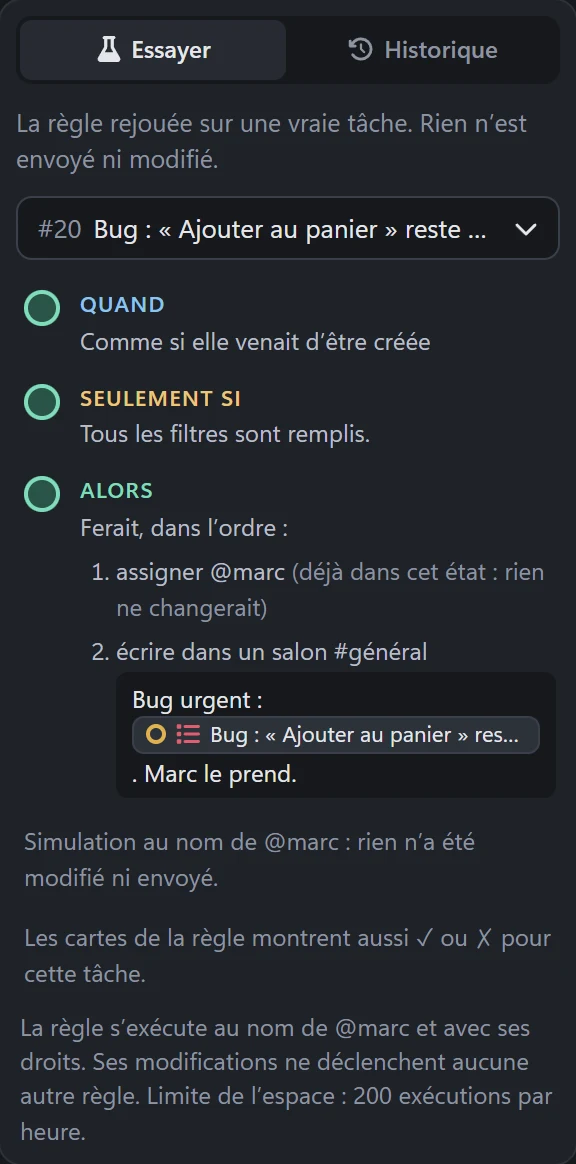
You can ask the AI for it.
Tell it “when an urgent bug comes in, assign it to Marc”. It writes the rule and shows it to you before saving.
Nothing is saved before your Do it.
Everything they can do.
Every module you switch on adds its events and its actions. An action does what a click in the app would do, with the same rights.
When
- A task is created, assigned, moved or completed
- Its status, priority or due date changes
- A tag or a comment is added
- Its due date arrives, give or take a day
- A message is posted, you are mentioned
- A page is created or edited
- An event is coming up
- A sprint starts or closes
- A milestone changes or is reached
- A poll is created or closed
- At a fixed time (day, week, month)
- A webhook arrives (CI, monitoring)
If
- The name, the status, the priority
- The list, the tags, the assignees
- The due date: before, after, on that day
- Who did the action
- A field of the webhook received
- Groups of “all” or “at least one”
Then, in the space
- Change the status or the priority
- Assign, add or remove a tag
- Move, set a due date or a milestone
- Comment, create a task or a subtask
- Post in a channel, notify someone
- Create a page, append text to it
- Create an event or a poll
- Add to the current sprint
- Publish the progress report
- Ask the AI
Then, outside
- Send to Slack
- Send to Teams
- A signed webhook (JSON) to your own tool
- Discord, on a self-hosted instance
Texts accept variables: {task.name}, {task.link}, {who}, {date}.
You stay
in control.
- In its author’s name, with their rights.Only the space’s admins write rules. If the author loses their rights, the rule pauses.
- A try before it acts.The dry run shows what the rule would do on a real task, without writing anything.
- Everything is signed.In the history, the comments and the messages, each action says “by the rule” and which one.
- Undoable for 7 days.From the log, a run is undone with the values from before.
- A log per rule.Its last 100 runs: what was done, what was skipped, and why.
- A limit per space.200 runs per hour, adjustable up to 10,000. What a rule writes triggers no other rule.
What they do not do.
- No diagram to draw, no loops, no code. A rule has at most 10 actions, and a space 100 rules.
- Fixed times follow your TaskForce’s time zone. A slot missed by more than 24 hours is not caught up.
- The AI of a rule answers in writing, it does not act on your data. To make it act, ask it in the panel.
- Nothing leaves from a private message, nor from a private channel or page.